Channels that stay on air
for months at a time.
Wavestream plays VOD files and live SRT feeds as one continuous transport stream. The next asset is already decoding before the current one ends, so switches land on the frame — no black, no rebuffer, no dropped connection.
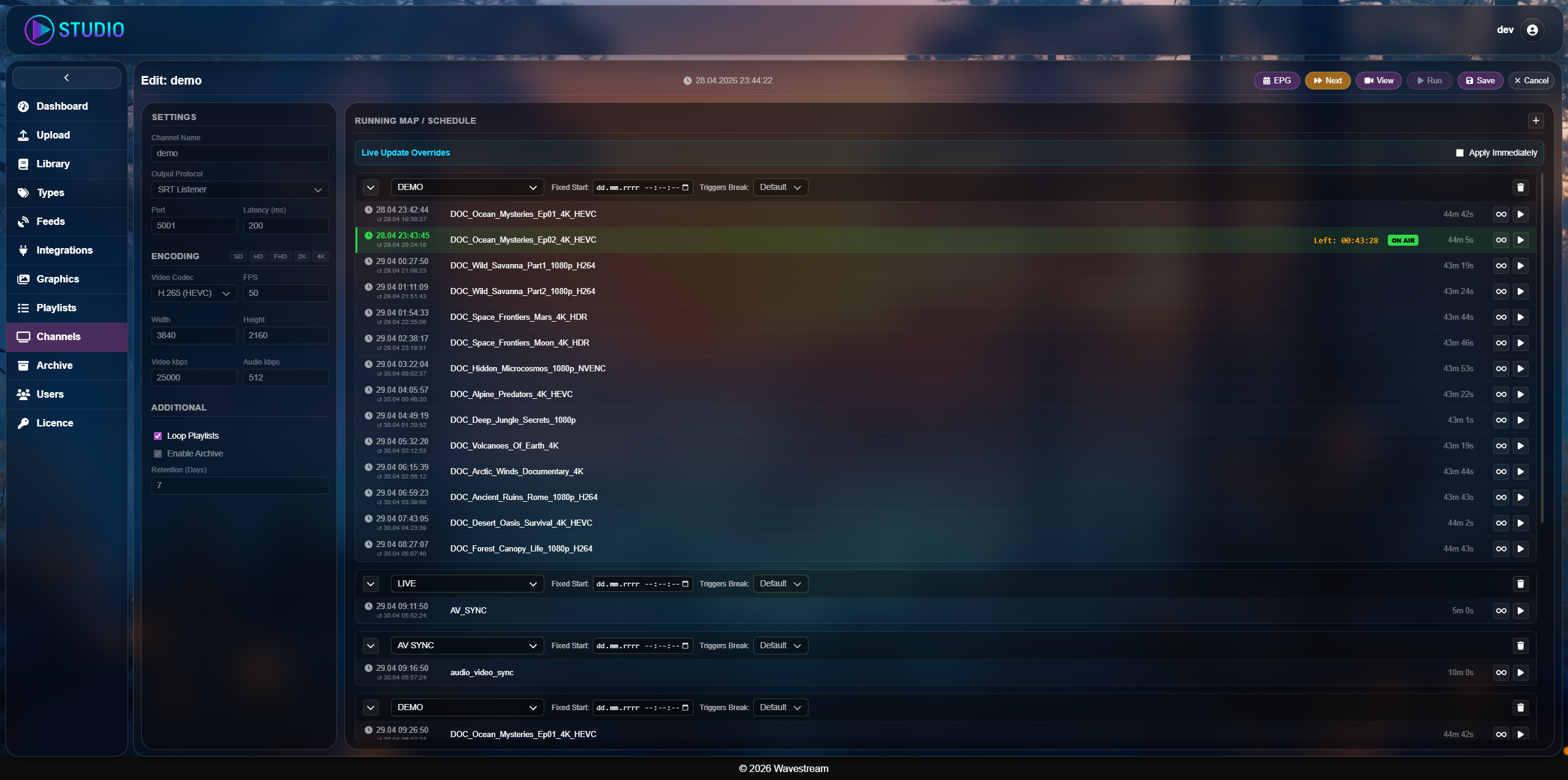
Live channel strip from the operator panel
One process from ingest to transport
CoreEnginePro keeps decode, compositing, marker injection and encode inside a single GStreamer pipeline. Nothing is handed between processes, so the clock never drifts. Each channel runs as its own OS process, so one channel failing cannot take the others with it.
Three steps to a running channel
Schedule
Upload VOD, point live SRT or RTMP inputs at the listener, then lay out the day in the drag-and-drop planner.
Process
The engine prerolls the next asset, burns in logos and lower thirds, and injects SCTE-35 at each break.
Deliver
Push SRT or RTMP to YouTube, Twitch or your CDN while the archive and the as-run log write in parallel.
What the engine actually does
Seamless preroll
The next file starts decoding roughly a second before the current one ends, then both feeders resynchronise to a shared PTS. Switching is frame-accurate and audio never slides.
Format normalisation
Mixed source material is scaled with pillarboxing, rate-converted and resampled to 48 kHz stereo on the way in. A library in five different formats leaves as one uniform progressive stream.
NVENC acceleration
H.264 and H.265 encode on NVIDIA GPUs with spatial and temporal AQ and a strict GOP. No GPU in the rack? x264enc handles up to 1080p on CPU alone.
SCTE-35 injection
splice_insert written straight into MPEG-TS with 33-bit PTS wrapping, armed four seconds ahead of the break, plus a parallel YouTube Live API cuepoint so client-side ads fire at the same instant.
Frame-accurate graphics
Logos and lower thirds are composited live with full alpha. Overlay swaps ride a pad probe tied to the incoming PTS, so graphics change exactly on the cut, not somewhere near it.
Wall-clock hard starts
Any item can be pinned to a real clock time. The engine jumps to it when the moment arrives and fills the gap before it, so the news block at the top of the hour goes out at the top of the hour.
Manual holds
Flag an item to stop the automation there. The channel keeps its last frame on air until the operator releases it — useful when a live segment runs long.
Compliance archive
A parallel 512 kbps proxy is written as segmented .ts, cut on the full hour and timestamped in UTC. It is a record for compliance review, not a broadcast master, which keeps months of it affordable to store.
As-run log
Every item that reaches air is appended to a per-day JSON file with UUID, start time and original filename, written atomically and rotated at midnight UTC. That is the document you hand to an advertiser.
What happens when something breaks
Playout is judged on its worst hour, not its best. Every path below is handled without an operator touching anything.
The output relay is a separate pipeline from the encoder. It tears down, then retries on a backoff schedule for up to five minutes and forces a keyframe on reconnect. The channel never stops encoding.
A slate is swapped in and audio is filled with silence. The socket stays open, so everything downstream sees a valid stream rather than a disconnect.
The last valid frame is held for half a second before the slate appears, so brief network hiccups never reach the viewer.
Both feeders compare their PTS against the pipeline running time every frame, hold a one-second buffer, and resynchronise with a discontinuity flag once drift passes 200 ms.
Each channel is an isolated process with its own pipeline and decoders. The others carry on, and the supervisor restarts what died.
The whole operator panel runs in a browser
Monitor the machine, watch the output, manage the library and build schedules without an SSH session.
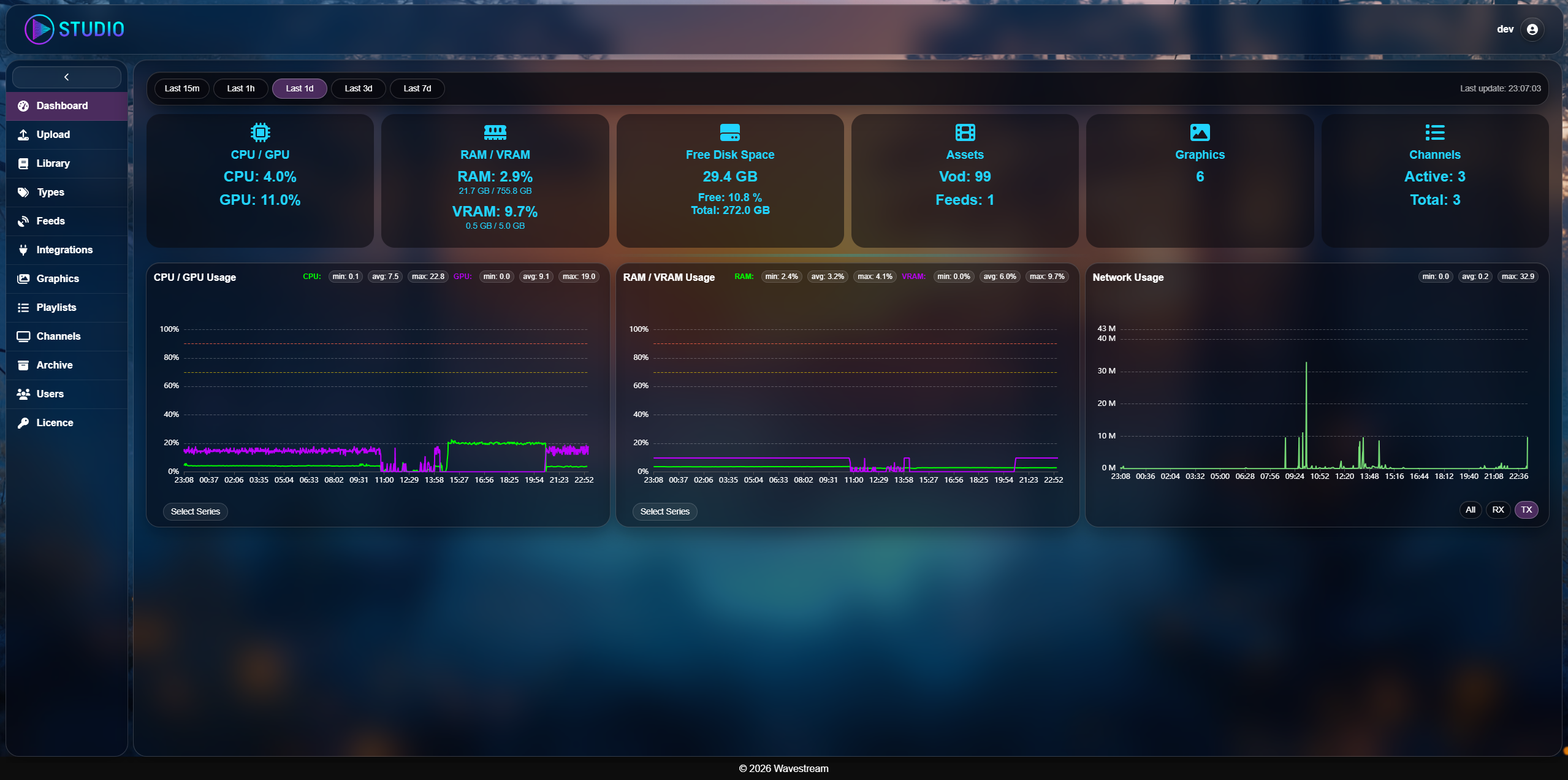
Dashboard and live preview
CPU, RAM, NVENC and network read live, per channel, so you see a box running hot before the stream does. A second encoder branch feeds an MPEG-TS preview over WebSocket, so you watch the actual output in the browser instead of pointing VLC at the stream.
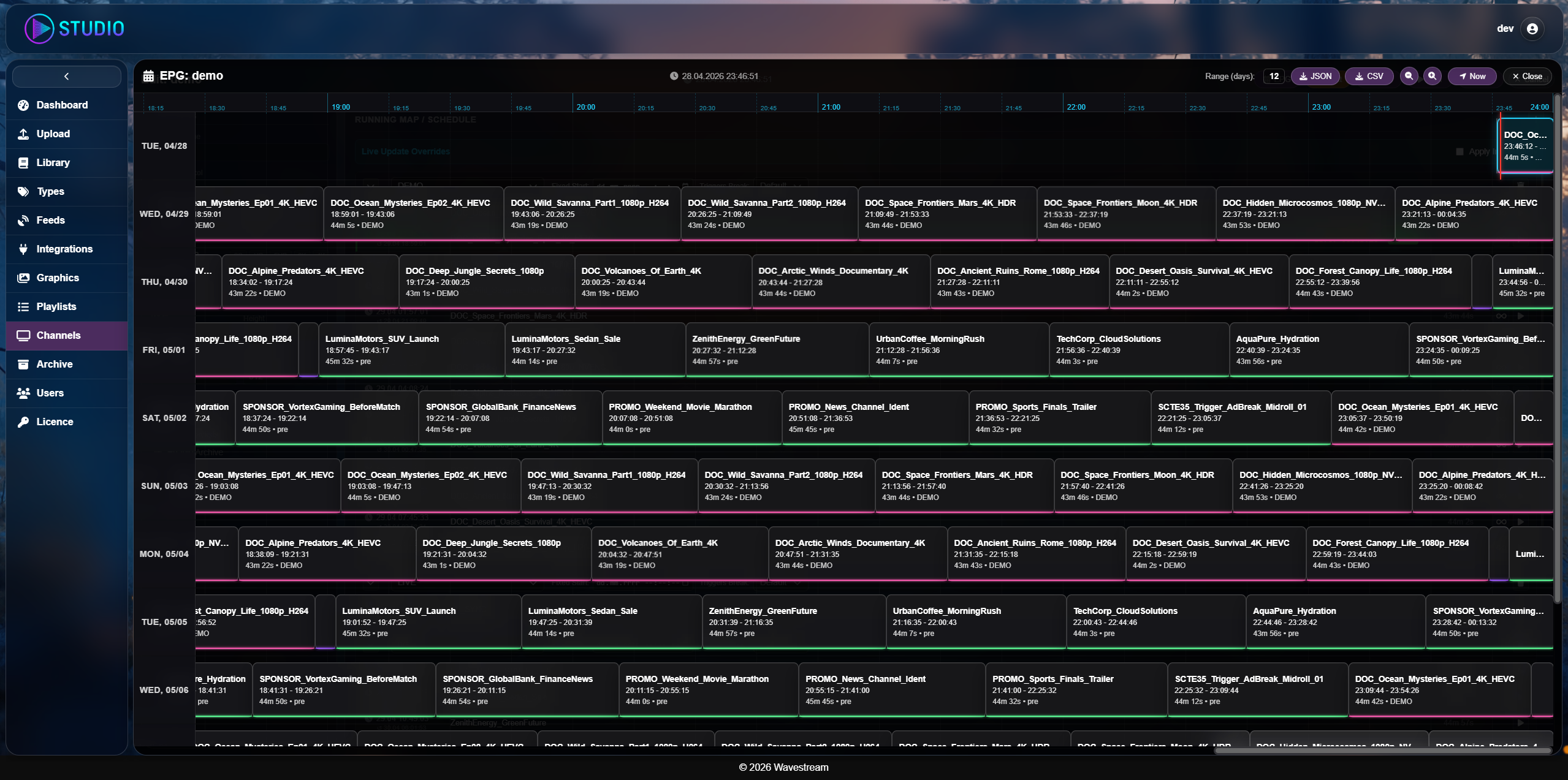
Scheduling
Drag assets onto an EPG calendar and see the day fill up. Pin an item to a wall-clock time for fixed slots, or flag it to hold until an operator releases it. Gaps are visible before they go to air.
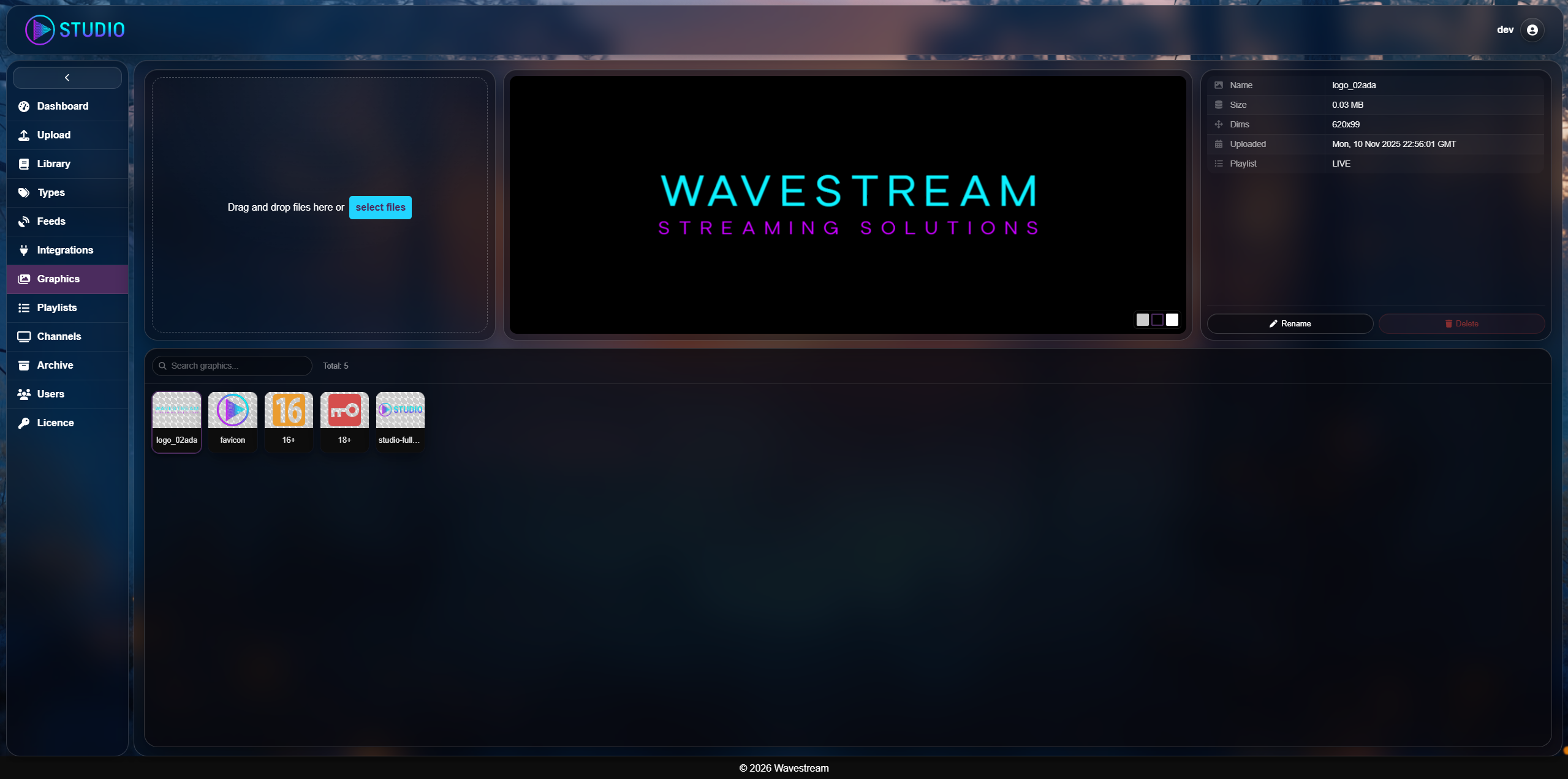
Graphics
Place logos and lower thirds visually and preview them at HD or 4K output size. Composites are cached per resolution and swapped on the frame, so changing a logo mid-schedule costs nothing on air.
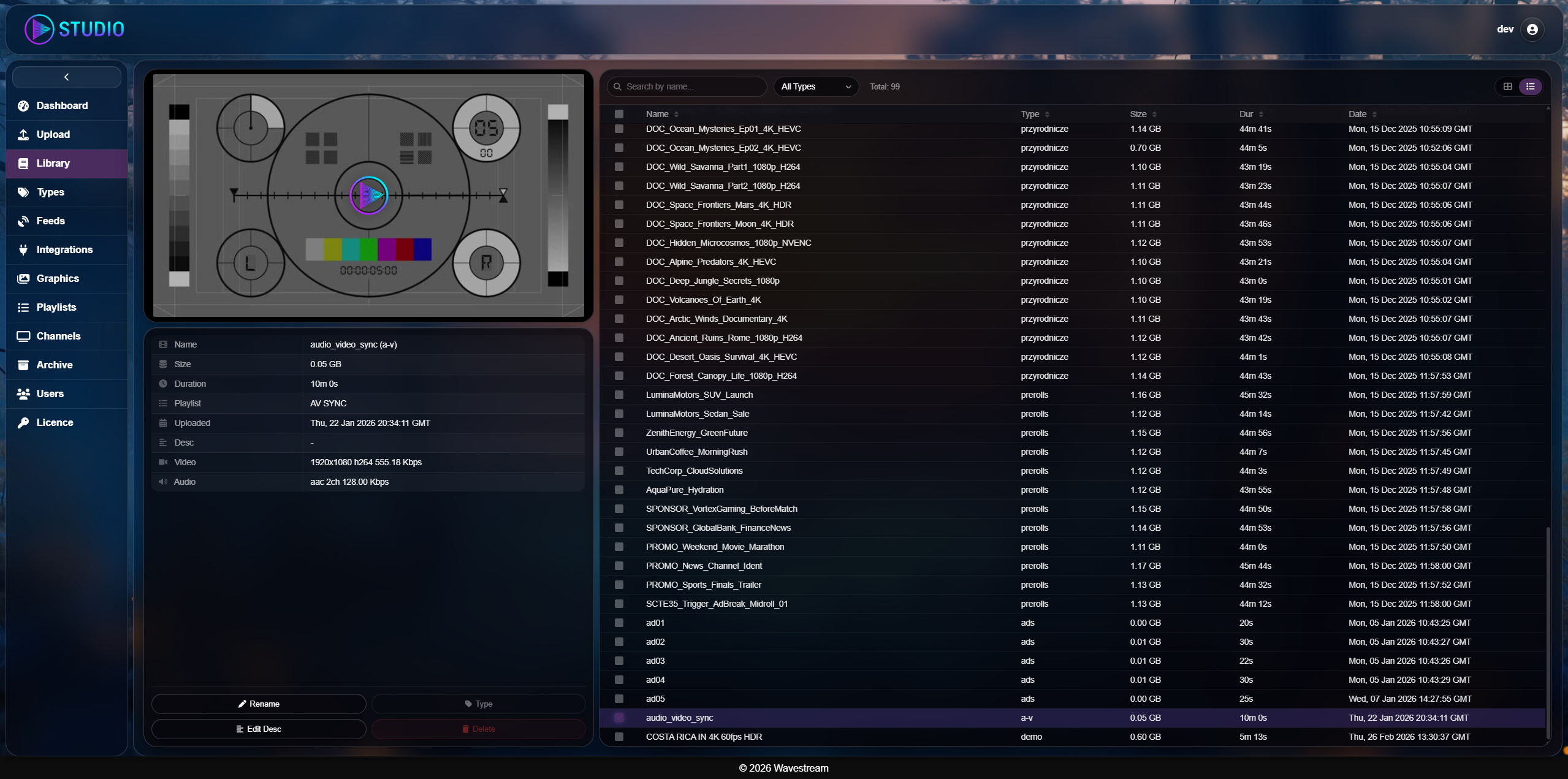
VOD library
Tag assets, search the catalogue, and generate thumbnails on the GPU instead of waiting on the CPU. Durations feed the scheduler directly, so the timeline reflects reality.
Channels
Run several outputs at once, each in its own process. Drop a live source into a running playlist without cutting the broadcast, swap the whole schedule underneath a channel that is already on air, and read back the as-run log per day.
Who runs it
FAST channels
Stand up an ad-supported channel, loop the library, and let scheduled SCTE-35 breaks monetise it on Pluto, Roku or YouTube. The as-run log settles the invoice.
Live event production
Take remote SRT feeds from the venue, add watermarks and lower thirds, cut commercial breaks, then redistribute to your CDN. Manual holds cover a segment that runs long.
Broadcasters
A cloud-native playout chain that runs as primary or as the backup that takes over when the main chain fails, with fixed-time slots for news and a compliance archive behind it.
24/7 esports and radio
Highlight loops, lofi radio and podcast video run for months on a modest box thanks to hardware encode and automatic recovery of the output.
Everything the panel does, your systems can do too
Web Studio is a client of the same REST API you get. Channels, schedules, graphics and archive retention are all addressable, so an existing traffic system or MAM can drive playout directly. The live preview is a WebSocket stream of MPEG-TS.
POST   /channels                          create a channel
POST   /channels/{id}/start                 go on air
PUT    /channels/{id}/playlist              swap the schedule while running
POST   /channels/{id}/next                  release a manually held item
POST   /channels/{id}/loop/{state}          toggle looping
PATCH  /channels/{id}/archive/retention     set retention window
WS /channels/{id}/preview/ws live MPEG-TS previewUnder the hood
| Muxing | mpegtsmux alignment=7 / flvmux streamable=true |
|---|---|
| Decode | H.264, H.265 (nvh265dec), AAC, MP3, VOD and SRT live |
| Encode | nvh264enc / nvh265enc (vbr-hq, spatial + temporal AQ), x264enc fallback |
| Normalisation | videoscale with pillarbox, videorate to target fps, 48 kHz stereo S16LE |
| Output | SRT caller and listener with AES, RTMP |
|---|---|
| Recovery | decoupled relay, backoff retry to 300 s, forced keyframe on reconnect |
| Preview | second encoder branch, 854x480, MPEG-TS over WebSocket |
| Sync | PTS against pipeline running time, 1 s buffer, resync above 200 ms drift |
| Ad signalling | SCTE-35 splice_insert, armed 4 s ahead, YouTube Live API cuepoint |
|---|---|
| Archive | 512 kbps proxy, segmented .ts cut on the hour, UTC filenames, retention GC |
| As-run | per-day JSON, UUID and original filename, atomic write, UTC rotation |
| State | Motor AsyncIO on MongoDB, JSON schedule export |
|---|---|
| Control | FastAPI REST, WebSocket preview |
| Process model | one isolated OS process per channel |
| Licensing | per channel, online or fully offline with hardware binding |
Three ways to run it
Everything ships as Docker containers, so the engine lands wherever your media is allowed to live.
Managed
We run the engine on our GPU servers. You log into Web Studio and never think about hardware.
On-premise
Containers on your own bare metal. Media never leaves the facility network, and licensing has an offline mode bound to the machine, so an air-gapped installation stays legal and running.
Your cloud
AWS, GCP, Hetzner or OVH — we deploy into the account and billing you already have.
Before you ask
What hardware does it need?+
A Linux server with an NVIDIA GPU that supports NVENC. Without a GPU it still runs on CPU up to 1080p.
Can it run in the cloud?+
Yes — AWS, Google Cloud, and bare-metal providers like Hetzner or OVH, as long as the instance gives you GPU passthrough.
What happens if YouTube drops the connection?+
The output relay runs as a separate pipeline from the encoder, so a dropped destination never stalls the channel. It reconnects on a backoff schedule for up to five minutes and forces a keyframe when it comes back. If the destination stays down longer, the channel keeps encoding and you get the failure in the logs.
How does SCTE-35 work here?+
You place ad breaks in Web Studio. Four seconds before the break the engine writes splice_insert into the MPEG-TS output and, on YouTube channels, hits the Live API cuepoint at the same moment.
Can I send it a live SRT feed?+
Yes. The engine acts as an SRT listener, so OBS, vMix or a hardware encoder can push to it and the feed drops straight into a playlist — including into a playlist that is already on air.
Can my own systems drive it?+
Yes. Web Studio is a client of the same REST API you get, so a traffic system or MAM can create channels, swap schedules, trigger the next item and read the as-run log. The preview is a WebSocket stream.
Does it need an internet connection?+
Not for playout. Licensing has an offline mode bound to the machine, so an isolated facility can run without any outbound connection at all.
How is it licensed?+
Monthly or annual, priced per channel. Managed deployments also scale with the hardware you need, from CPU-only encode to dense NVENC boxes and large VOD archives.
Ask for a live channel,
not a slide deck.
Send us the shape of your channel — sources, hours, where it has to land — and we will run it in the operator panel while you watch.